Drawables and SceneObjects
This is a reference for the visual side of BGE: every Drawable subclass, the SceneObject each one registers with the Renderer, and how the Renderer actually turns a scene full of SceneObjects into pixels every frame. Read Building a Game with BGE first if you haven't - this guide assumes you already know how a Drawable attaches to a GameEntity.
The pipeline, in one sentence
A Drawable doesn't draw itself. GameEntity.addDrawable(name, drawable) attaches it, and once per frame Drawable.addToRenderer(rendererObj) registers a matching SceneObject with the Renderer - from then on, the Renderer owns drawing it, not the Drawable. The Drawable still computes its own transformation matrix from offset/rotation/scale (see Drawable.computeTransformationMatrix), but the actual per-frame draw call, camera-relative positioning, and draw-mode handling all live on the SceneObject side.
A Drawable doesn't strictly need a GameEntity - pass invalid as its owner to draw it straight through a standalone Renderer, with no Game at all:
renderer = new BGE.Renderer(myBitmap)
box = new BGE.DrawableRectangle(invalid, 40, 20, {offset: BGE.Math.VectorOps.create(100, 50, 0)})
box.addToRenderer(renderer)
renderer.render()
It then behaves as if owned by an entity at the world origin with no rotation and a scale of 1, so its offset is its world position. Anything that needs a Game quietly does nothing instead: logging, pausing an animation while the game is paused, and a DrawableOrientedSprite picking its facing from the game camera. A DrawableText with no font uses the system default font.
Every Drawable / SceneObject pair
| Drawable | SceneObject | What it draws |
|---|---|---|
Image | SceneObjectImage | A single bitmap region - the basic sprite. |
Sprite | SceneObjectImage | An Image subclass that indexes into a sprite sheet by frame number. |
AnimatedImage | SceneObjectImage | A Sprite that advances its own frame index over time. |
DrawableRectangle | SceneObjectRectangle | A filled and/or outlined rectangle. |
DrawableCircle | SceneObjectCircle | A filled and/or outlined circle - foreshortens into an ellipse when oriented in 3D. |
DrawableSphere | SceneObjectCircle | A DrawableCircle that always renders as an undistorted circle, regardless of camera angle. |
DrawableOrientedSprite | SceneObjectImage | A Sprite that swaps its active animation based on the camera's angle to the entity, faking a Doom-style billboard sprite. |
DrawablePolygon | SceneObjectPolygon | An arbitrary filled or outlined polygon. |
DrawableLine | SceneObjectLine | A single line segment between two points. |
DrawableText | SceneObjectText | Text rendered with a roFont. |
Model3d | SceneObjectModel | A triangle-mesh 3D model (loaded via Game.load3dModel, see STLParser). |
DrawablePlane | SceneObjectPlane | A textured ground/floor plane, rendered with a Mode-7-style perspective warp (see below). |
DrawableParallaxLayer | SceneObjectParallaxLayer | A scrolling/tiling background (or foreground) layer that moves at a configurable fraction of the camera's movement. |
DrawableParticles | SceneObjectParticle | A whole emitter's worth of simulated particles (lines, rectangles, or images), drawn through one SceneObject for the entire emitter (see below). |
(billboard drawables, e.g. images used with directToCamera/directScaled draw modes) | SceneObjectBillboard | Always faces the camera regardless of its own rotation. |
Every SceneObject subclass lives under src/source/engine/renderer/sceneObjects/. If you're adding a new visual primitive, the pair goes together: a Drawable subclass that computes its own geometry/transform, and a SceneObject subclass whose addToRenderer call the Drawable invokes.
Rectangles
DrawableRectangle is the primitive to reach for when you want a solid block of color - a paddle, a brick, a health bar, a HUD panel. GameEntity.addRectangle builds and attaches one in a single call:
' a 150x20 white paddle, drawn from the entity's position
m.addRectangle("body", 150, 20, {color: BGE.ColorsRGB.White})
color and outlineRGBA are packed RGB (0xRRGGBB), which is what every Drawable takes - BGE.ColorsRGB is the named-color enum in that format, and alpha is a separate field. That's a different format from the packed RGBA (0xRRGGBBAA) that the Renderer.draw* calls and BGE.Colors use, and mixing the two up gives you a plausible-looking wrong color rather than an error.
A rectangle is anchored at its top left corner by default (anchor (0, 0)) and extends right and downwards on screen, the same as an Image. Call setAnchor(x, y) with normalized 0-1 coordinates to pivot around a different point instead - setAnchor(0.5, 0.5) centers it on the entity's position, setAnchor(0.5, 1) plants its bottom edge there (handy for a sprite that should grow from the ground up rather than from its center). Every Drawable with a rectangular width/height (Image, Sprite/AnimatedImage, DrawableRectangle, DrawableText) supports this the same way. Without setAnchor(), nothing changes - offsetting the drawable by half its size to fake a centered anchor still works exactly as before:
cornerOffset = BGE.Math.VectorOps.create(-width / 2, height / 2)
m.addRectangle("body", width, height, {color: BGE.ColorsRGB.Yellow, offset: cornerOffset})
' a RectangleCollider covers the same area for the same offset, so the two line up
m.addRectangleCollider("body", width, height, cornerOffset.x, cornerOffset.y)
To resize one later, call setSize(width, height) rather than assigning to width/height directly (they're deliberately not public). A resize isn't movement, so the renderer's dirty-checking can't see it - setSize calls Drawable.invalidateGeometry(), which bumps a geometryVersion the SceneObject compares against to know it must recompute projected geometry even though nothing moved. Any Drawable that changes shape in place should do the same.
Outlines
Setting outlineRGBA on any billboard drawable - a rectangle, a polygon, an image, text - strokes an outline around it. There's no separate on/off flag: a color means yes, invalid (the default) means no, and the renderer skips all outline work when there isn't one. outlineWidth sets the thickness in pixels.
' a lime rectangle with a 2px white border
m.addRectangle("brick", 112, 30, {
  color: BGE.ColorsRGB.Lime,
  outlineRGBA: BGE.ColorsRGB.White,
  outlineWidth: 2
})

' outline only, no fill - needs an outline color, or nothing is drawn at all
m.addRectangle("frame", 200, 100, {filled: false, outlineRGBA: BGE.ColorsRGB.Cyan})
The stroke lives on SceneObjectBillboard, which draws it over the top of the fill each frame along the object's canvas corner points. Two consequences worth knowing:
- The outline is stroked in canvas space, so it stays a constant width rather than warping with perspective in the
orienteddraw modes. For a 1-2px stroke that generally looks better than the alternative, but it does mean an outline isn't baked into the cached temp bitmap and is re-stroked on every frame - which is why it's opt-in viaoutlineRGBA. - A
SceneObjectwhose shape isn't a single quad has to opt out by returninginvalidfromgetOutlineCanvasPoints(), which is whatSceneObjectModeldoes - outlining a triangle mesh means thewireFramedraw modes, not this.SceneObjectPolygonoverrides the same hook to stroke along its own point list instead of the inherited quad.
In the wireFrame draw modes the outline is the entire drawing, so it's stroked once by drawToCanvas and skipped by the hook. Those modes fall back to the fill color when no outlineRGBA is set, which is why they look the same as they always did.
How a rectangle is drawn, and why it's a billboard
SceneObjectRectangle extends SceneObjectBillboard, so a rectangle orients and foreshortens in 3D just like an image (see examples/3d's RectanglesScene, which cycles a ring of panels through every draw mode). But unlike an image it has no texture to sample - it's one flat color - so it never uses the inherited pinned-corners path: filling the projected quad produces identical pixels for far less work, and DrawableRectangle never has to hold a bitmap of its own. That's how SceneObjectPolygon draws, for the same reason.
It does still cache that fill into a temp bitmap in the oriented draw modes, exactly like a polygon does. Filling a rotated quad means rasterizing two triangles through scratch bitmaps, which is far too expensive to repeat every frame for something that hasn't moved - skipping the cache here cost examples/3d's RectanglesScene about two thirds of its frame rate (22 FPS vs 63) before it was put back. Whether a SceneObject caches a given draw mode is usesTempBitmap(drawMode), which SceneObjectRectangle overrides to also require filled - an outline-only rectangle has no fill worth caching.
In the direct (billboard) draw modes with no rotation - which is the 2D case, since a Camera2d resolves matchCamera to directToCamera - it takes a shorter path still, going out as a single DrawRect with no triangle rasterization and no bitmap at all. That's the path examples/breakout runs on for its paddle, ball and every brick.
Keeping the billboard base (rather than making a rectangle a 4-point DrawablePolygon) is what buys the rest: backface culling and per-face isShaded shading, both of which need the surface normal a quad has and an arbitrary polygon doesn't; the direct/billboard draw modes, which SceneObjectPolygon ignores entirely; and a frustum check over the 4 already-computed world corners instead of SceneObjectPolygon.getPositionsForFrustumCheck's scan-every-vertex bounding cube (whose 8 corners collapse to the same 4 points for a flat quad anyway - pure overhead here).
Circles and Spheres
DrawableCircle is a filled (and optionally outlined) circle. GameEntity.addCircle builds and attaches one the same way addRectangle does, just with a radius instead of a width/height:
' an 80-radius red circle with a white outline
m.addCircle("body", 80, {color: BGE.ColorsRGB.Red, outlineRGBA: BGE.ColorsRGB.White, outlineWidth: 2})
Like a rectangle, a circle is anchored at the top left of its bounding square by default and extends radius * 2 right and down - setAnchor/setSize-style resizing works the same way too, via setRadius(radius) rather than assigning radius directly (a resize isn't movement, so it has to call invalidateGeometry() for the same reason DrawableRectangle.setSize does).
Where a circle differs from a rectangle is how it's drawn - it has no cheap way to fill itself, so it uses two different techniques for its fill and its outline:
- Fill: a texture blit, not a rasterized shape.
Renderer.getCircleResource()rasterizes a circle once (lazily, the first time anything asks for it) and everyDrawableCircle/DrawableSpherein thatRenderershares the same bitmap -SceneObjectCirclejust returns a region of it fromgetRegionWithIdToDraw(), exactly the waySceneObjectImagereturns a region of the bitmap itsImagewas constructed with. This gets the same pinned-corners warp, color-tinting, and temp-bitmap caching anImagegets in the oriented draw modes, for free. - Outline: computed fresh, not baked into the texture.
outlineSegments(default 24) points are placed around the ellipse inscribed in the object's own already-transformed quad -SceneObjectCircle.getOutlineCanvasPoints()derives the ellipse's two axes directly from the quad's own corner vectors, so the outline automatically foreshortens along with the fill in the oriented draw modes without a second world-to-canvas transform pass.
A texture-backed fill means a circle pays the same pinned-corners cost an Image pays in the oriented/solid draw modes - real per-pixel perspective warping, not the cheap flat 2-triangle fill DrawableRectangle/DrawablePolygon get away with, since neither of those has a texture to sample. SceneObjectCircle opts solid/solidDrawBackFace into the same temp-bitmap caching the oriented modes already get, by overriding usesTempBitmap() (the same extension point SceneObjectRectangle overrides for its own reason - skipping the cache for an unfilled rectangle), since - unlike DrawableRectangle, whose solid-mode fill is cheap enough not to need it - a circle's solid fill is exactly as expensive as its oriented fill.
DrawableSphere is a DrawableCircle that forces drawMode = SceneObjectDrawMode.directScaled in its own constructor, so it renders identically in every way except one: it never turns to face a direction and never foreshortens into an ellipse, because a sphere looks the same from every angle. No separate SceneObjectSphere class exists for this - SceneObject.getActualDrawMode() only resolves the matchCamera default through the camera, so any other explicit drawMode (this one included) is used exactly as given. examples/3d's CirclesScene puts a ring of alternating CirclePanel/SpherePanel entities side by side, so orbiting the camera shows the difference directly: the circles turn edge-on and thin out, the spheres next to them don't move at all.
DrawableOrientedSprite is a Sprite that fakes full 3D orientation the way classic Doom/Duke3D monster sprites do: instead of one animation per action, it registers one animation per (elevation band, angle bucket) via addOrientedAnimation()/ addElevationOrientedAnimation(), and every frame swaps which one is actually playing based on the angle between the camera and the entity - GameEntity.addOrientedSprite builds one. Bucket 0 (of numAngles, default 8) is the entity's front facing the camera, and buckets increase clockwise as viewed from above; numElevationBands (default 1, meaning no vertical distinction) optionally adds a second axis for a sheet that also draws a distinct top-down or bottom-up view. Every bucket needs its own real art - there's no mirroring support (a negated-scale.x flip was tried and found not to render correctly through directScaled's blit path; see the spec's Non-goals). See examples/terrain's Guard entity for a runnable demo, and specs/2026-09-22-oriented-sprite-billboards-design.md for the full design.
SceneObjectDrawMode
Every SceneObject has a SceneObjectDrawMode, controlling how it reacts to the camera's rotation and perspective:
| Draw mode | Behavior |
|---|---|
matchCamera | Follows the camera's rotation/perspective like a normal 3D object. |
directToCamera | Always faces the camera (billboard), ignoring its own rotation. |
directScaled | Like directToCamera, but sized by camera distance - a Doom-style sprite. |
oriented / orientedDrawBackFace | Respects its own rotation in 3D, optionally drawing back faces. |
wireFrame / wireFrameDrawBackFace | Outline-only rendering of the triangle mesh. |
solid / solidDrawBackFace | Filled triangle rendering. |
This is what gives a fundamentally 2D-raster engine its pseudo-3D/billboard capability (see examples/3d) - examples/rendererTest has a runnable demo per mode (DemoList.bs).
For a model, a face's front is the side it's wound counter-clockwise from - the usual .obj/.stl convention, so its outside. The modes without DrawBackFace draw only faces turned toward the camera, and isShaded lights each face by how squarely it faces the camera.
matchCamera, directToCamera and directScaled are the screen-aligned (billboard) modes - isScreenAlignedDrawMode() - and they keep an object square to the screen instead of turning it in 3D. directScaled is the Doom-sprite one: it faces the camera and its on-screen size comes from how far away it is, independently of its own rotation. That independence is the whole point, and it's why SceneObjectBillboard builds the quad from the camera's own right/up axes in world space and then projects it (updateCanvasPointsForCameraFacingQuad), rather than measuring the object's own projected quad - measuring the latter would fold the object's orientation into its size, so a sprite turned edge-on would squash. For the same reason a screen-aligned object is never backface culled: it has no face to turn away. BGE.getDrawModeName(drawMode) gives you a mode's name, for debug overlays or for an example that lets you cycle through them (examples/3d's BaseScene displays it on screen).
Draw-distance fade
With a Camera3d, nothing past the camera's draw distance is drawn. Instead of popping out of view at that limit, objects fade out across the far end of it:
camera = new BGE.Camera3d()
camera.maxDrawDistance = 1000
' fade across the last 20% (800-1000) instead of the default 15%
camera.drawDistanceFadeFraction = 0.2
game.setCamera(camera)
Set drawDistanceFadeFraction = 0 for a hard cut-off. The fade multiplies whatever Drawable.alpha you've set, so an image at alpha 128 halfway through the band draws at 64.
When the draw distance changes - a new render quality level, or your game changing maxDrawDistance - the camera eases to the new distance over drawDistanceTransitionSeconds (default 0.75), so distant objects fade in or out gradually. Call camera.snapDrawDistance() after a camera cut to skip the transition.
Ground planes, skyboxes and parallax layers don't fade: they have no single distance from the camera. Everything else fades by its nearest corner, so a long wall stays solid while its near end is well inside the draw distance.
A ground plane always reaches the farthest any quality level would draw objects (1.5x maxDrawDistance with the default presets), so objects fade out on the ground rather than past its edge, and the horizon doesn't move when the quality level changes. Past the default distance, the ground's texture gets a little softer instead of costing more memory.
Occluders and visibility
A big opaque thing in a 3D scene (a building, a wall, a hill) hides whatever stands behind it. Mark its drawable isOccluder: true and the renderer stops drawing everything it fully hides:
class Chapel extends BGE.GameEntity

  override sub onCreate(args as roAssociativeArray)
    m.isStatic = true ' an occluder's owner never moves
    model = m.game.get3dModel("chapel")
    m.addDrawable("chapel", new BGE.DrawableModel(m, model, {
      isOccluder: true,
      drawMode: BGE.SceneObjectDrawMode.solid
    }))
  end sub

end class
Game code can ask what happened to an entity last frame, for example to skip purely visual work for a tree nobody can see:
override sub onUpdate(dt as float)
  if not m.isOnScreen()
    return ' hidden or off camera: skip the sway animation
  end if
  m.animateSway(dt)
end sub

' Or tell the reasons apart:
if m.getVisibility() = BGE.VisibilityState.occluded
  ' something solid is in front of it
end if
getVisibility() (on GameEntity, Drawable and SceneObject) returns a BGE.VisibilityState: visible (drawn), occluded (hidden behind an occluder), offCamera (outside the camera's view) or unknown (no drawables, or not drawn yet). An entity with several drawables reports the most visible one, in the order visible > occluded > offCamera > unknown. isOnScreen() is true for visible and unknown. Nothing in the engine skips an entity's onUpdate() or collisions for you; this is only a signal.
To see what's going on, call game.debugDrawOcclusion(true) (it shades the canvas areas the occluders cover and draws a red box around each hidden object), and read renderer.getOccludedCountLastFrame(). The terrain example has a static chapel that hides the trees behind it, and OK toggles occlusion in its WorldScene.
A few things the renderer enforces, which are easy to trip over:
- The drawable must be fully opaque (an image with no transparent pixels, a model with no translucent colors). The engine can't check this, so anything behind a see-through occluder would vanish.
- The owner must be
isStatic, and the drawable's draw mode must be an oriented one (oriented,orientedDrawBackFace,solid,solidDrawBackFace). Screen-aligned modes (matchCamera,directToCamera,directScaled) are ignored as occluders, and so is any occluder under aCamera2d. isOccludercan be turned on or off at any time, e.g. when a wall becomes see-through.- A standalone
SceneObjectwith no owner registers itself withrenderer.markOccluder(). - Occlusion is conservative: an object is only hidden when it is clearly behind the occluders, with a small safety margin, so a borderline object still draws. Screen-aligned fixed-size objects, text and particles are never hidden.
- An occluder draws like anything else, cached bitmaps and coarse fills included. While it (or the camera) moves, the area it claims to cover shrinks by the largest error those shortcuts can make, so it rarely hides something it doesn't actually paint over (a non-convex model can still briefly over-claim near its silhouette). An object near an occluder's edge can therefore stay drawn while the camera moves, and is hidden again once it stops.
renderer.occluderDrawPolicychanges that trade-off. The default,BGE.OccluderDrawPolicy.fastShrink, is the behaviour above.exactmakes occluders always draw exactly and claim their whole outline (slower to draw, hides the most).fastExactClaimkeeps the shortcuts but still claims the whole outline, so an object just behind an occluder's edge can vanish for a few frames while the camera moves.- Tuning knobs on the
Renderer:occlusionCullingEnabled(defaulttrue),occlusionBandCount(45 horizontal bands),maxOccluders(32, the largest on screen are kept) andocclusionMargin(2.0 pixels of safety around each object). With no occluders registered the whole feature costs nothing. - Occlusion has its own cost: while the camera moves, the occluders are re-projected and each object is re-judged every frame. It pays off when what it hides is expensive to draw (warped textures, models), and barely breaks even when the hidden objects are cheap sprites.
renderer.getOcclusionMsLastFrame()andrenderer.getOcclusionTestsLastFrame()(objects that needed the full test) show what it costs you; compare frame times withocclusionCullingEnabledon and off.
How Renderer.render() actually draws a frame
Renderer.render() (engine/renderer/Renderer.bs) runs once per frame, per canvas (there's a separate Renderer for the game canvas and the UI canvas). It does three things, in order:
updateSceneObjects()- recomputes world positions and camera-distance for every registeredSceneObject(see "Per-object update", below).- Sort by depth -
m.sceneObjects.sortBy("negDistanceFromCamera"), so farther objects draw first and nearer objects draw over them (simple painter's algorithm, no z-buffer). - Draw in two passes: every
SceneObjectPlanefirst, then every other enabledSceneObjectwhosenegDistanceFromCamera < 0(i.e. in front of the camera). Planes are drawn first because they're meant to be a ground/floor - drawing them before anything else means normal painter's-algorithm depth sorting for everything else (which does sort against the camera distance) still looks correct sitting on top of the plane. Objects hidden behind an occluder are skipped before this point (see "Occluders and visibility").
Per-object update (SceneObject.update/draw)
SceneObject.update(cameraObj) and .draw(rendererObj) are called every frame for every object, but most of the expensive work is skipped unless something actually changed:
objMovedLastFrame = m.drawable.movedLastFrame(true)-Drawable/Camerause aMotionChecker(utils/MotionChecker.bs) for dirty-checking; if neither the object nor the camera moved since last frame,update()skips recomputing the transformation matrix and world position entirely.isPotentiallyOnScreen(cameraObj)- a cheap frustum check gate indraw(). If the object drew last frame and nothing has moved since, it skips straight to drawing; if the frustum culled it last frame and nothing has moved since, it stays culled without re-checking, which is what makes a static off-screen object free. A moving object always re-checks the frustum either way. Only a genuine cull latches this way: a draw that was attempted and failed is retried on the very next frame, becausefindCanvasPosition()andperformDraw()are both transient-failure-prone and both already recover. A camera projection change - its frame size or field of view, neither of which counts as camera movement - lifts the latch too, viaCamera.projectionVersion.findCanvasPosition(rendererObj, drawMode)- only re-run whenobjMovedInRelationToCamera()is true (the object or camera moved), there's no valid canvas position yet, or the camera's projection changed (Camera.projectionVersion, same signal as above). This is where aSceneObjectsubclass computes whatever camera-relative geometry it needs before drawing (e.g.SceneObjectPlanecomputes the frustum-to-plane intersection here - see below).performDraw(rendererObj, drawMode)- the actual draw call. SeveralSceneObjectsubclasses (SceneObjectBillboard,SceneObjectPlane) cache a rendered bitmap and reuse it across frames when nothing's moved, rather than re-rasterizing from scratch every frame - drawing that cached bitmap is far cheaper than recomputing the object's projected geometry and re-drawing it.
Two supporting pieces worth knowing about if you're touching rendering performance:
TriangleCachecaches rasterized triangle bitmaps - triangle drawing (drawBitmapTriangleTo,drawPinnedCorners) is comparatively expensive per call, since it checks out and rasterizes scratch bitmaps internally. Code that draws the same triangle-heavy shape every frame should render once into a cached bitmap and blit that, rather than redoing the full draw at 60fps -examples/rendererTest/CornerPinGridTest.bsis a worked example of this pattern (and of what happens without it: most of a 26-tile grid silently failed to render after the first few tiles).ScratchBitmapPool(engine/renderer/ScratchBitmap.bs) hands out reusable off-screen bitmaps for exactly this kind of intermediate rendering work, so it doesn't need to allocate a freshroBitmapevery frame. Pooled bitmaps are handed out as-is, not cleared - if you draw into one and don't cover its entire area, whatever was left over from its previous, unrelated use will still be there. AlwaysClear()a scratch region yourself before drawing into it unless you're certain your draw call will fully cover it.
The cluster draw contract (getPrimitiveCount/getPrimitiveDepth/drawPrimitive/participatesInOverlapDetection)
Renderer.computeOverlapClusters (off by default) opts a renderer into detecting when two or more SceneObjects' projected screen bounds actually overlap (BGE.DepthSort's sort-and-sweep broad phase plus a convex-hull narrow phase) and, for any multi-member cluster it finds, interleaving their draws by depth instead of drawing each object atomically. That interleaving is built on four small, overridable SceneObject methods:
getPrimitiveCount()- how many separately-orderable pieces this object currently has. The base-class default (1) is correct for every billboard-familySceneObject- a quad, circle, piece of text, etc. is always one piece regardless of draw mode.getPrimitiveDepth(index)- the depth to sort primitiveindexby. The base-class default returns the object's ownnegDistanceFromCamera, correct for the single-primitive case. Every override must stay on the same convention - negative in front of the camera, ascending sort = farthest-first (matchingnegDistanceFromCameraand the main scene's own painter's-algorithm sort) - or its primitives will sort backwards against every other object's.drawPrimitive(rendererObj, index)- draws primitiveindexnow. The base-class default delegates to the object's normalperformDraw(), so a solo object's cluster-path draw and its normal draw path are the same call, not a second implementation to keep in sync.participatesInOverlapDetection()- whether this object is worth including in cluster detection at all. The base-class default (true) is correct for anything with real area, which the narrow phase can test via a convex hull of 3+ points.
A solo cluster (an object nothing else overlaps - still the overwhelming common case) draws exactly as it does today: whole-object temp-bitmap caching, one draw() call, no primitive enumeration. Only a genuine multi-member cluster pays for getPrimitiveCount()/ getPrimitiveDepth()/drawPrimitive() at all - Renderer collects every deferred cluster member's primitives into one combined list (spanning every cluster drawn that frame, not scoped per-cluster - harmless, since non-overlapping clusters were never going to visually interact anyway), sorts it once by depth, and calls drawPrimitive() in that order.
SceneObjectModel is the one type that overrides all three draw-contract methods: it exposes its per-face list (m.modelCanvasFaces, already rebuilt every frame by updateCanvasPosition(), already correctly reflecting the resolved draw mode's backface-cull behavior) via getPrimitiveCount()/getPrimitiveDepth(), and drawPrimitive() draws one face directly through a shared drawFaceToCanvas() helper - deliberately bypassing its own whole-model temp-bitmap cache, which aggregates every face in the model's own internal order and can't represent this face being interleaved with a different object's primitives.
Fixed (was tracked as #112): updateCanvasPosition()'s internal face sort is now SortBy("priority", "r") (descending, farthest priority value first), matching getPrimitiveDepth()'s own farthest-first convention. The solo draw loop (straight iteration over modelCanvasFaces, unchanged) and the cluster path now agree: a model's self-overlapping faces paint farthest-first, nearest-last-on-top, whether it's drawn solo or as part of a multi-member overlap cluster that frame.
SceneObjectLine and SceneObjectPlane both override participatesInOverlapDetection() to return false. Neither is a correctness workaround - a line's bounding points are always exactly its two endpoints, and a plane's default bounding point is a single point; neither can ever reach the narrow phase's minimum of 3 hull points, so both were always going to fail cluster candidacy regardless. The override just skips paying the broad-phase setup cost (screen-bounds projection, hull construction, sort/sweep bookkeeping) for a check that was guaranteed to reject them anyway - this matters in practice for a scene built from many line segments (e.g. examples/3d's TreesScene, each tree a bundle of DrawableLine branches), which would otherwise dominate the cluster-candidate count for zero possible benefit.
See specs/2026-08-16-depth-sort-plan-2-design.md for the full design, and examples/depthsort's ClusterVisualizerScene for a runnable demo of interleaved draw order taking visible effect.
Textured 3D models (Model3d / OBJParser)
An .obj model can carry diffuse textures, sampled via UV coordinates and affine-mapped onto each triangular face (not perspective-correct - see the "Bitmap Triangle Warp" demo in rendererTest for the underlying primitive, Renderer.drawBitmapTriangle(To)). Two ways to get textures onto a model:
- Materials: the
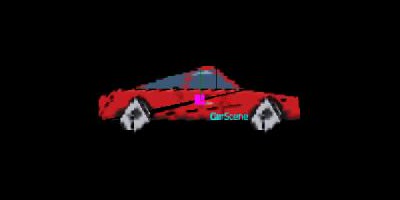
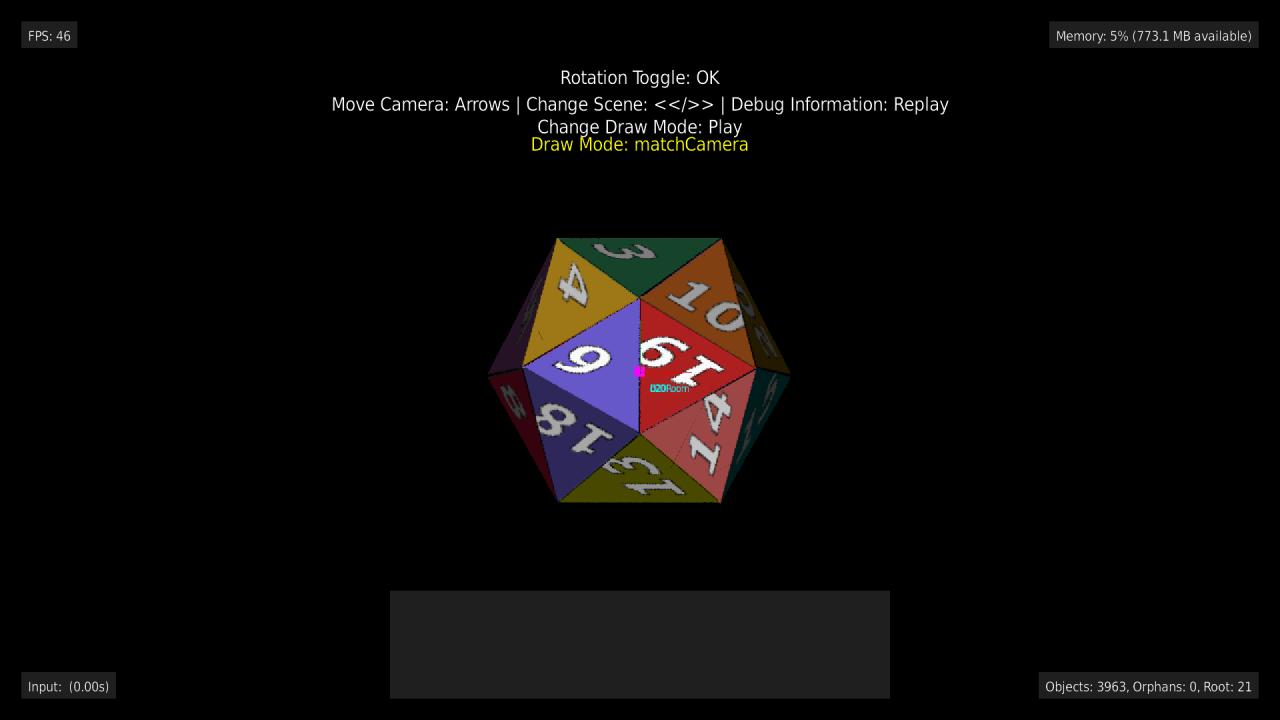
.objreferences amtllib <file>.mtl, and eachusemtl <name>line sets the material of the faces after it. Each material'smap_Kd <image>is its texture, resolved relative to the.mtlfile. Every distinct texture is loaded once.examples/3d'sCarScene(nine materials) andD20Scene(one) use this, as doesexamples/terrain's chapel. - Explicit override: pass
{texturePath: "pkg:/..."}as the third argument toGame.load3dModel(modelName, modelPath, options)- every textured face uses it instead of its material's texture. Handy for a model that carries UV data but ships its texture separately, with nomtllibat all.
' textures from the model's .mtl file:
game.load3dModel("car", "pkg:/models/car/car.obj")

' one texture for every face, whatever the .mtl says:
game.load3dModel("crate", "pkg:/models/crate.obj", {texturePath: "pkg:/sprites/crate.png"})
UVs outside 0..1 repeat the texture, the usual .obj convention for tiling a small texture across a big face. A face with no texture of its own - no UV data on one of its corners, a material with no map_Kd, or a texture that can't be found or loaded (a warning is logged) - is filled flat, in its material's Kd color when it has one. The rest of the model stays textured; a load never fails over a texture. Other .mtl properties (map_Bump, Ks/Ns, d transparency, illum) are ignored.
Deep dive: SceneObjectPlane (DrawablePlane)
DrawablePlane/SceneObjectPlane render a textured, (mostly) infinite ground/floor plane - examples/terrain is a small, playable demo of it (drive a camera around above a Mario Kart track image, or toggle to a checkerboard). It works nothing like the other SceneObjects, which each draw one small object; a plane covers the camera's entire view of the ground, so the implementation is closer to a classic SNES "Mode 7" renderer than to a sprite draw call.
The technique
Each frame, SceneObjectPlane (in findCanvasPosition, via getPerspectivePointsByCamera):
- Casts a ray from each of the camera's four frustum corners and intersects each with the plane (
BGE.Math.intersectRayWithPlane) - this gives the four world-space points where the camera's view "hits the ground" at its corners. When the camera isn't rolled, these rays are built fresh each frame using a true (atan-derived) vertical field of view rather than reusingCamera3d.frustumRays(which uses a cheaper linear approximation - accurate enough for frustum culling, but not for this plane's own edges; see "Roll" below for the rolled case, which builds its own rays too). Corners whose rays don't hit the plane at all (pointing above the horizon), or that hit it farther away than the plane draws, are placed instead on the plane at the camera's draw distance straight ahead, the full width of the view at that depth - the same depth every other object is clipped at, so nothing stands past the ground's far edge. - Converts those four world points into texture pixel coordinates via
BGE.Math.worldPointToTexturePixel(see "Texture anchoring" below). populatePerspectiveBmp()un-warps the resulting quad: it rotates/translates the entire source texture region so the quad's corner lines up correctly, then scales that into a rectangular "pre-perspective" bitmap - effectively turning "camera looking at a trapezoid on the ground" into "looking straight down at a flat rectangle."drawPerspectiveBmpSlicesToByCamera()slices that pre-perspective bitmap into thin horizontal bands (RenderQualitySettings.planeSliceCount, 20-50 depending on the quality level), each drawn with one scaled blit. Each band's on-screen position comes from projecting its world-space boundary points through the camera's own perspective formula (the same mathCamera3d.worldPointToCanvasPointuses for every other 3D object) - bands near the camera land large near the bottom of the frame, bands near the horizon shrink toward it, which is what produces the perspective effect, and what keeps the ground aligned with any per-point-projected object (a billboard, say) at the same world position. Each band's source span is exactly the ground the camera shows across the frame at the band's mid depth. A single blit can't change its horizontal scale as depth changes, so a straight line on the ground is drawn as a short staircase whose steps grow toward the sides of the frame. The size of a band's step depends on how much deeper its far edge is than its near edge, so the bands are spaced to give every one the same far/near depth ratio. RaisingplaneSliceCountmakes the steps smaller, at the cost of one more native draw call per band.
Texture anchoring
The plane is mathematically infinite (y=0, extending forever in x/z), but by default (fillMode: staticImage) its texture is a single finite bitmap region with no tiling - see "Fill modes" below for tiledImage, which does tile. BGE.Math.worldPointToTexturePixel(worldPoint, textureCenterWorldPoint, textureWidth, textureHeight) anchors the texture's center pixel on wherever the plane actually sits in world space (textureCenterWorldPoint, the plane entity's own world position) rather than on world (0,0) - world points equal to the anchor map to the texture's center pixel, and points n units away map n pixels away from center (1 world unit = 1 texture pixel, no additional scaling).
Practical implication: driving/looking far enough away from the plane's anchor point runs off the edge of the texture. That's expected and handled correctly - SceneObjectPlane.findCanvasPosition uses BGE.Math.boundsOverlapRect to skip drawing entirely once the camera's view can't possibly overlap the texture at all (a cheap early-out), and for partial overlaps, the plane correctly shows real texture on the side that's in-bounds and the renderer's background (transparent/black) on the side that isn't - it does not wrap or repeat the texture to fill the screen.
Fill modes (DrawablePlane.fillMode)
DrawablePlane.fillMode (a BGE.PlaneFillMode) picks how the plane's surface is filled, and planes in different modes compose with each other through ordinary addDrawable() calls - stack a flat color base, a tiled texture over it, and a one-off decal on top of both:
groundPlaneDef = {normal: {x: 0, y: 1, z: 0}, point: {x: 0, y: 0, z: 0}}

' A flat green base layer - region is `invalid` since color fillMode ignores it
baseLayer = new BGE.DrawablePlane(m, invalid, groundPlaneDef, {fillMode: BGE.PlaneFillMode.color, color: BGE.ColorsRGB.Green})
m.addDrawable("GroundBase", baseLayer)

' A repeating grass tile on top of it
grassTile = CreateObject("roRegion", m.game.getBitmap("grass"), 0, 0, 64, 64)
grassLayer = new BGE.DrawablePlane(m, grassTile, groundPlaneDef, {fillMode: BGE.PlaneFillMode.tiledImage})
m.addDrawable("Grass", grassLayer)

' A one-off decal (e.g. a road) on top of both
roadRegion = CreateObject("roRegion", m.game.getBitmap("road"), 0, 0, 256, 256)
roadDecal = new BGE.DrawablePlane(m, roadRegion, groundPlaneDef, {fillMode: BGE.PlaneFillMode.staticImage})
m.addDrawable("Road", roadDecal)colorfills the plane withDrawable.color/alphaand ignoresregionentirely - no texture, so it never "runs out" the way the other two modes can. This makes it the natural base/backdrop layer to add first.tiledImagetreatsregionas a single repeating tile, seamlessly covering the ground out toCamera3d.maxDrawDistancein every direction - this is the tiling the "Texture anchoring" section above calls out as unavailable by default.staticImage(the default, and the only mode that existed beforefillModewas added) is the finite decal described above: a one-off texture anchored at the plane's own world position - correct for something like a map/track texture, wrong for anything meant to repeat.
Layering order for planes at the same depth follows addDrawable() insertion order (the same depth-sort tie-break every SceneObject uses) - add the base layer first, as in the example above, so later calls draw on top of it.
tiledImage builds and caches a "supertexture" bitmap the first time it draws (lazily, per DrawablePlane instance, and rebuilt only if Camera3d.maxDrawDistance changes afterward) by tiling region across a grid roughly 2 * maxDrawDistance / tileSize tiles per axis, where tileSize is the tile's own smaller dimension. That means the tile count built up front - and so the build cost and cached bitmap size - scales with (maxDrawDistance / tileSize)². Pick a tile size (and consider maxDrawDistance) with that in mind: a small tile paired with a large maxDrawDistance builds a much bigger cached bitmap than a coarser tile would.
Note that maxDrawDistance itself may be silently capped below whatever you set it to: Camera3d clamps it per-device (900 on the BrightScript Simulator and, pending real hardware testing, on SD/HD devices too; effectively unlimited on FHD) every frame, so a plane's actual far distance and supertexture size follow the capped value, not the requested one.
Roll
Camera3d.rollDegrees (rotation about the camera's own forward axis) can't be represented by this horizontal-band rasterizer directly - a tilted horizon isn't a stack of horizontal bands. Instead, whenever rollDegrees <> 0, every step above runs against an unrolled ("level") camera enlarged to cover the real frame's diagonal (SceneObjectPlane.getRollCanvasSize), using Camera3d.getLevelUpVector()/getLevelRightVector() and a true, atan-derived field of view (getFovDegreesForCanvasSize) for both axes. The resulting composite is then rotated by rollDegrees about its own center and cropped back down to the real frame (performDraw) - mathematically exact for a pure roll, since perspective division commutes with an in-plane rotation about the optical axis. See specs/2026-08-19-camera-roll-and-plane-horizon-design.md for the full design.
Gotchas if you touch this code
- Scratch bitmaps are pooled and not cleared (see the
ScratchBitmapPoolnote above) - this bit particularly hard here, because the visual symptom of not clearing looked exactly like the texture "wrapping/repeating" the further you got from its valid bounds. It wasn't a sampling-wrap bug at all:populatePerspectiveBmp()'s scratch region andprePerspectiveBmpare reused, uncleared pooled bitmaps, and once the camera's view moved mostly or entirely outside the texture's valid area, the rotated draw call landed off-canvas and left the previous, unrelated frame's leftover pixels showing through - which happened to look like the track's own curb pattern, because that's literally what it was. Both bitmaps must beClear()-ed before drawing into them each frame. - Slice seams: each ground band's two boundary points are projected to screen-space Y independently and rounded to whole pixels, so adjacent bands' rounded positions can disagree by a fraction of a pixel, leaving a thin black gap between them (worst near the bottom of the screen, where bands are tallest/nearest the camera). Each band is drawn a few pixels taller than its exact allotted position (
seamPadding) so neighbors overlap slightly instead of gapping. - Camera-orientation coupling: if you're building a "chase camera" or similar that follows a moving point, don't use
camera.setTarget(fixedPoint)every frame if you want the camera to turn the way a driver's/person's head turns -setTargetpoints the camera at that fixed point, which orbits the camera around it as its own position changes, rather than rotating the camera's own view. Setcamera.orientationdirectly from your desired look direction instead (seeexamples/terrain/src/source/Scenes/MainScene.bs'supdateCameraOrientation).
Skybox (DrawableSkybox / SceneObjectSkybox)
DrawableSkybox renders a 360-degree panoramic texture that surrounds the camera, giving the impression of a distant sky or environment infinitely far away. Unlike other drawables that move with the world, a skybox is always centered on the camera and rotates with it. Attach one to an entity the same way as any other drawable:
' Create a skybox with a 360-degree panoramic image
region = CreateObject("roRegion", bmp, 0, 0, bmp.getWidth(), bmp.getHeight())
owner.addDrawable("sky", new BGE.DrawableSkybox(owner, region, {
  degreesPerFullWidth: 360.0,
  verticalDegreesCovered: 90.0
}))
The constructor takes an optional args object with two configurable fields:
degreesPerFullWidth(default360.0): how many degrees of view angle the texture's full width represents. Set to360for a complete 360-degree panorama, or a smaller value if the texture covers a narrower field of view (e.g.,120for a 120-degree wide-angle texture).verticalDegreesCovered(default90.0): how many degrees of vertical view angle the texture's full height represents. This controls how much of the sky above and below the horizon the texture fills.
SceneObjectSkybox renders in its own dedicated pass in Renderer.render(), before all other objects (including planes). This ensures the skybox always draws behind everything else. A skybox never participates in depth-sort or overlap-cluster detection—it's always drawn as a background layer.
Like SceneObjectPlane, SceneObjectSkybox handles Camera3d.rollDegrees (rotation about the camera's forward axis) by rendering against an unrolled camera view and then rotating the composite. See specs/2026-08-19-camera-roll-and-plane-horizon-design.md section D for the full mathematical details of this render-then-rotate trick—the mechanism is the same, applied to the skybox's spherical geometry instead of a planar ground.
Note: Camera2d does not support skyboxes; this feature is 3D-only (issue #65).
Note: unlike SceneObjectPlane, SceneObjectSkybox has no per-frame dirty-check caching yet—it recomputes and re-blits its visible band every frame even when yaw/pitch/roll haven't changed. Correct, just not optimized; tracked as a follow-up issue.
Parallax layers (DrawableParallaxLayer)
DrawableParallaxLayer scrolls a bitmap at a configurable per-axis fraction of the camera's movement (parallaxFactor, a BGE.Math.Vector): {1,1} (the default) behaves like an ordinary drawable, {0,0} pins it to the camera, 0 < factor < 1 gives a background layer that drifts slower than the world, and factor > 1 gives a foreground layer that scrolls faster. repeatX/repeatY (defaulting to true/false) tile the bitmap to cover the viewport along either axis.
Unlike every other billboard drawable, SceneObjectParallaxLayer extends SceneObject directly rather than SceneObjectBillboard - a parallax layer is always flat 2D and may draw several tiled copies in a single frame, so it skips the 3D/orientation/temp-bitmap machinery entirely and just issues one Renderer.drawObject()/drawScaledObject() call per visible tile. It also doesn't honor Drawable's anchor (setAnchor()), rotation, color/outline, or drawMode fields - SceneObjectParallaxLayer.performDraw() ignores all of them and always draws from a top-left-anchored canvas position.
Attach one to an entity the same way as any other drawable:
region = CreateObject("roRegion", bmp, 0, 0, bmp.getWidth(), bmp.getHeight())
owner.addDrawable("mountains", new BGE.DrawableParallaxLayer(owner, region, {
  parallaxFactor: BGE.Math.VectorOps.create(0.3, 0.06),
  repeatX: true,
  repeatY: true
}))
examples/parallax is a small, playable demo with several stacked background/foreground layers and a camera that follows the player (examples/parallax/src/source/Scenes/MainScene.bs).
SceneObjectParallaxLayer overrides three SceneObject methods to make this work: findCanvasPosition() does the actual parallax math and tile enumeration - the base SceneObject.draw()'s existing objMovedInRelationToCamera() check already re-triggers it whenever the camera moves (its default implementation already ORs in cameraObj.movedLastFrame()), so no change to the shared SceneObject/Drawable update machinery was needed for this part. isPotentiallyOnScreen() and getPositionsForFrustumCheck() correct the renderer's frustum-culling check, which otherwise tests distance from the owning entity's raw (un-shifted) position: a repeating layer (repeatX/repeatY) always returns true from isPotentiallyOnScreen() and is never culled, since a repeating axis re-tiles to cover the viewport regardless of how far the raw owning entity has drifted from the camera; a non-repeating layer is instead tested against its actual parallax-shifted screen position (via getPositionsForFrustumCheck()), not its raw owner position, so it stays correctly visible/hidden even once that raw position is far outside the frustum.
Draw order relies entirely on the ordinary distance-from-camera sort - give a background layer's owning entity a suitably negative Z (or positive, for a foreground layer) so it falls out of Renderer.render()'s existing sort with no renderer changes.
Particles (DrawableParticles)
DrawableParticles emits and simulates a population of lightweight particles - lines, rectangles, or images - with randomized velocity, constant acceleration, and lifetime-driven color/alpha/size interpolation. GameEntity.addParticles builds and attaches one the same way addRectangle/addCircle do, just with a shape name instead of a size:
emitter = m.fireworks.addParticles("fireworks", BGE.ParticleShape.Rectangle, {
  lifetime: 1.0,
  lifetimeSpread: 0.3,
  velocitySpreadMagnitude: 300,
  startColor: BGE.ColorsRGB.Cyan,
  endColor: BGE.ColorsRGB.Magenta,
  startAlpha: 255,
  endAlpha: 0,
  startSize: 10,
  endSize: 2,
  maxParticles: 500
})
Nothing spawns until you call start() (continuous emission at spawnRate particles/second) or burst(count) (spawns count particles immediately, regardless of start()/stop() state - see examples/particles's BurstScene, which fires 50 at a time on a button press). stop() halts continuous emission, but particles already alive keep simulating and drawing until they expire naturally:
emitter.start()     ' begin continuous emission at spawnRate/sec
emitter.stop()      ' stop spawning new ones; live particles finish out their lifetime
emitter.burst(50)   ' spawn 50 right now, independent of start()/stop()
Each particle gets its own randomized lifetime (lifetime +/- lifetimeSpread) and initial velocity, spread around the emitter's base velocity by velocitySpreadAngleDegrees (direction) and velocitySpreadMagnitude (speed). If velocity is left at zero, particles instead radiate outward in a uniformly random direction at velocitySpreadMagnitude - the way to get a stationary explosion/burst effect rather than a directional spray. acceleration (e.g. gravity) is applied to every particle every frame. Over each particle's lifetime, startColor/endColor (packed RGB), startAlpha/endAlpha (0-255), and startSize/endSize all linearly interpolate by the particle's own age / lifetime - startSize/endSize mean a line's length, a rectangle's side length, or an image's scale multiplier (1.0 = native size), depending on shape. maxParticles caps the live population; once reached, further spawns (continuous or burst()) are silently dropped until a slot frees up via natural expiry - a safety net against a runaway or misconfigured emitter, not something you need to size exactly.
Animated sprite-sheet particles (shape = BGE.ParticleShape.Image)
A BGE.ParticleShape.Image emitter can optionally animate each particle through a sprite sheet instead of drawing one static bitmap. Set cellWidth/cellHeight (pixels) alongside image, and each particle's current frame is driven by its own age / lifetime - mirroring Sprite's own row-major grid-slicing convention, just with time-since-spawn in place of an explicit frame index:
emitter = m.fireballs.addParticles("fireballs", BGE.ParticleShape.Image, {
  spawnRate: 8,
  lifetime: 1.2,
  velocitySpreadAngleDegrees: 360,
  velocitySpreadMagnitude: 60,
  startSize: 0.5,
  endSize: 0.5,
  startAlpha: 255,
  endAlpha: 0,
  cellWidth: 128,
  cellHeight: 128,
  maxParticles: 40
})
emitter.image = m.game.getBitmap("fireball")
emitter.start()cellWidth/cellHeight default to 0, meaning image draws as a single static bitmap - existing BGE.ParticleShape.Image emitters are unaffected unless you opt in. getFrameRegions() slices image into its grid lazily on first use and caches the result, so a fade-style sheet (bright frame to a transparent one) reproduces its own fade with no extra frame-rate configuration - see examples/particles's AnimatedImageParticlesScene.
Every particle from one emitter draws through a single SceneObjectParticle - the emitter's own performDraw loop issues one drawLine/drawRectangle/drawRegion call per live particle directly, rather than each particle getting its own SceneObject. That's a deliberate departure from every other pair in this guide's table, made specifically so that spawning and expiring particles every frame (the normal case for continuous emission) never touches Renderer.addSceneObject/removeSceneObject, which would otherwise defeat the depth-sort skip-optimization (see "How Renderer.render() actually draws a frame" above) for the whole renderer, not just this emitter. See specs/2026-08-18-particle-system-design.md for the full reasoning, including the tradeoffs this accepts (particles from one emitter draw as a single atomic unit against the rest of the scene, and aren't depth-sorted against each other). Frustum culling accounts for this: it checks a bounding box over every live particle's position (not just the emitter's own anchor), and re-checks every frame while any particle is alive - so a stationary emitter whose particles drift on/off-screen still culls and un-culls correctly (see issue #114).